Telia Play · 2024
Free Content Indicator
Making free content feel free.
A lightweight UI solution that helped users understand when content was temporarily available outside their subscription, reducing uncertainty for users and unnecessary questions for Customer Support.
- Role
- Product Designer
- Platforms
- Web · Mobile · TV
- UX Strategy
- Design Systems
- Cross-functional
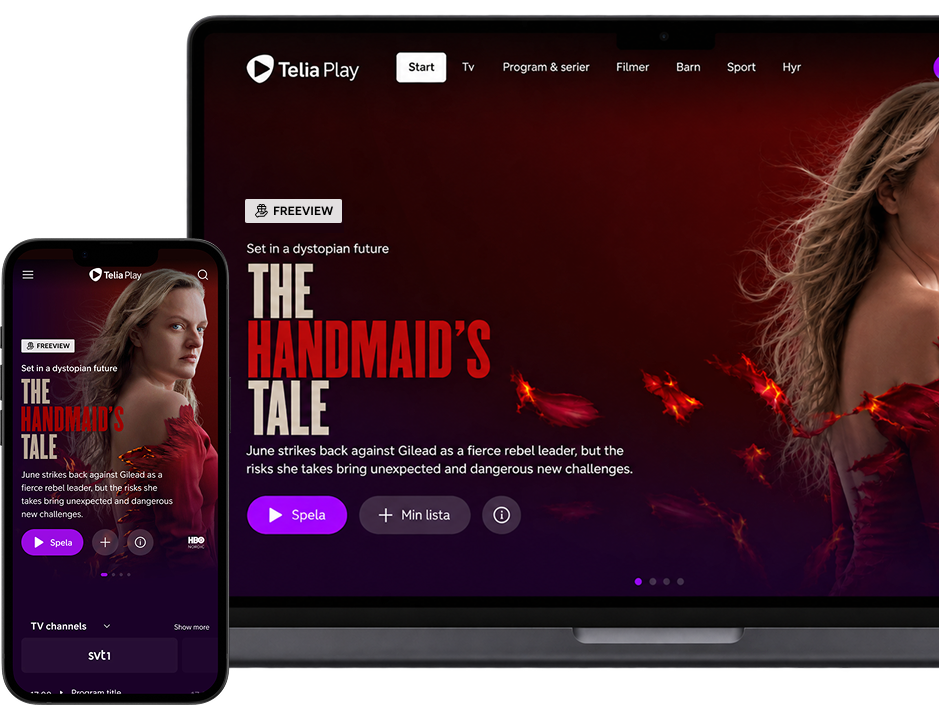
Background
When “free” isn’t obvious
Telia Play occasionally made selected content temporarily available to users outside their existing subscription.
While this was a great opportunity for users to discover new content, the experience wasn’t always clear enough.
Users could suddenly see content they normally couldn’t access and weren’t sure why they could watch it, or whether they would be charged. When access disappeared, some also thought the content had been removed from their subscription.
This created confusion for users and unnecessary questions for Customer Support.
The challenge
How might we make temporary access feel clear and trustworthy?
- Clearly communicate that content was temporarily available for free
- Reassure users that they wouldn’t be charged
- Avoid disrupting the viewing experience
- Work consistently across web, mobile and TV
- Be quick to implement
- Fit within the existing Telia Play design system
We didn’t need to redesign the experience. We needed to remove one very specific point of uncertainty.
Impact
From
Unclear availability
Users weren't always sure why certain content was available to them.
“Will I be charged?”
Some users worried that accessing content might result in an additional charge.
Support confusion
Customer Support had to answer questions that could have been resolved in the product.
To
Clear indication
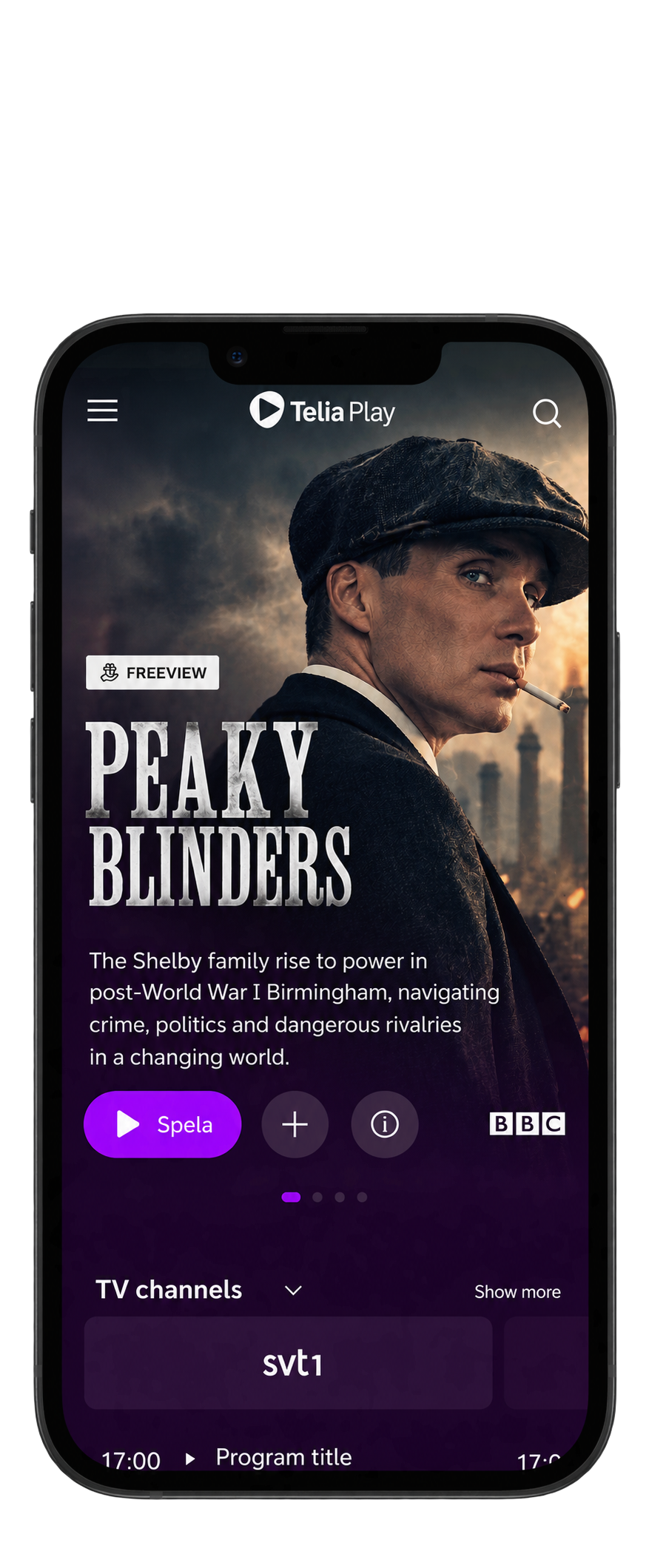
A visible indicator immediately communicated that the content was temporarily free.
More confidence
Users could explore the content without worrying about unexpected charges.
Less ambiguity
Customer Support had a clearer experience to point users towards.
The solution
Making “free” visible
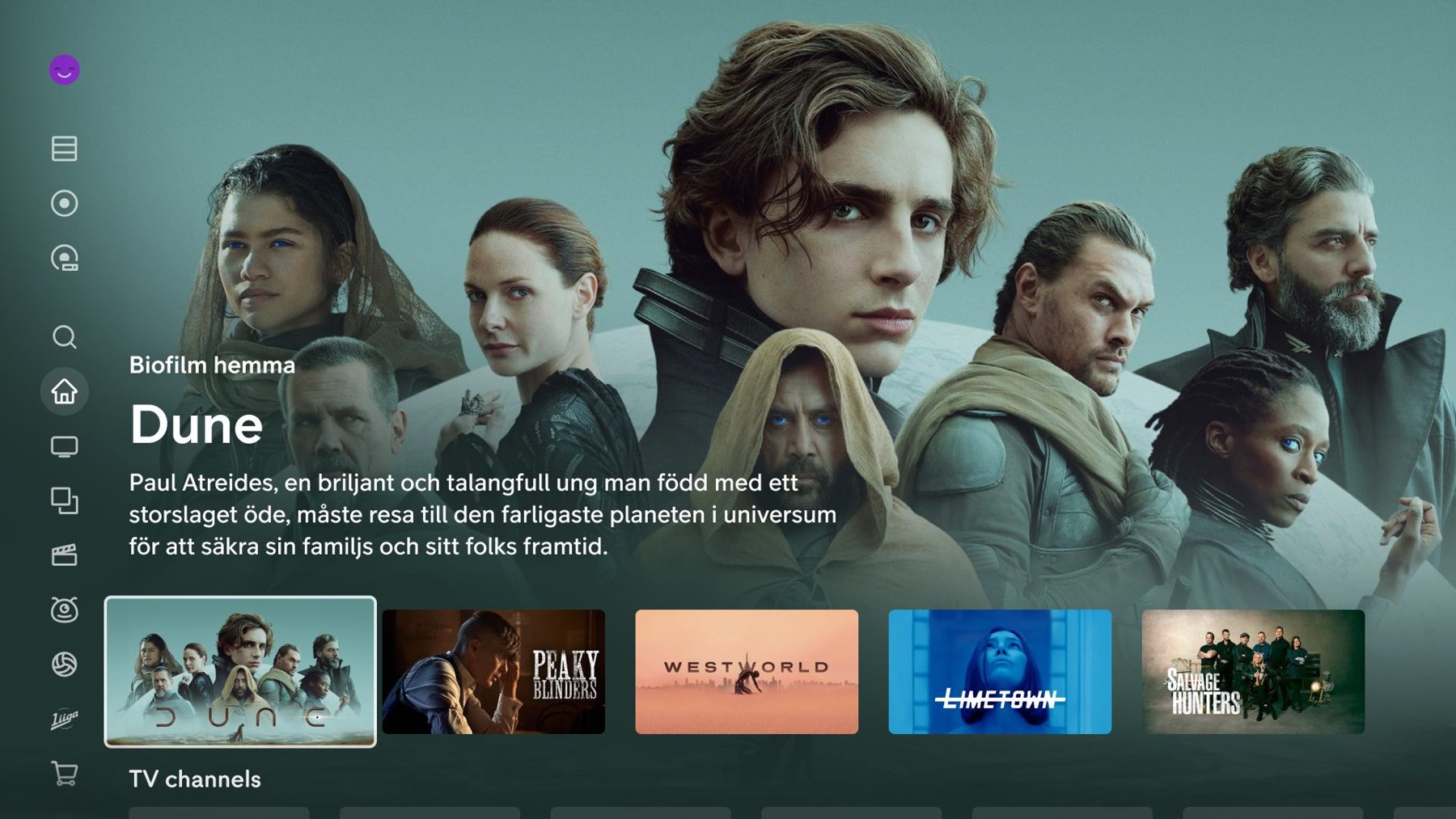
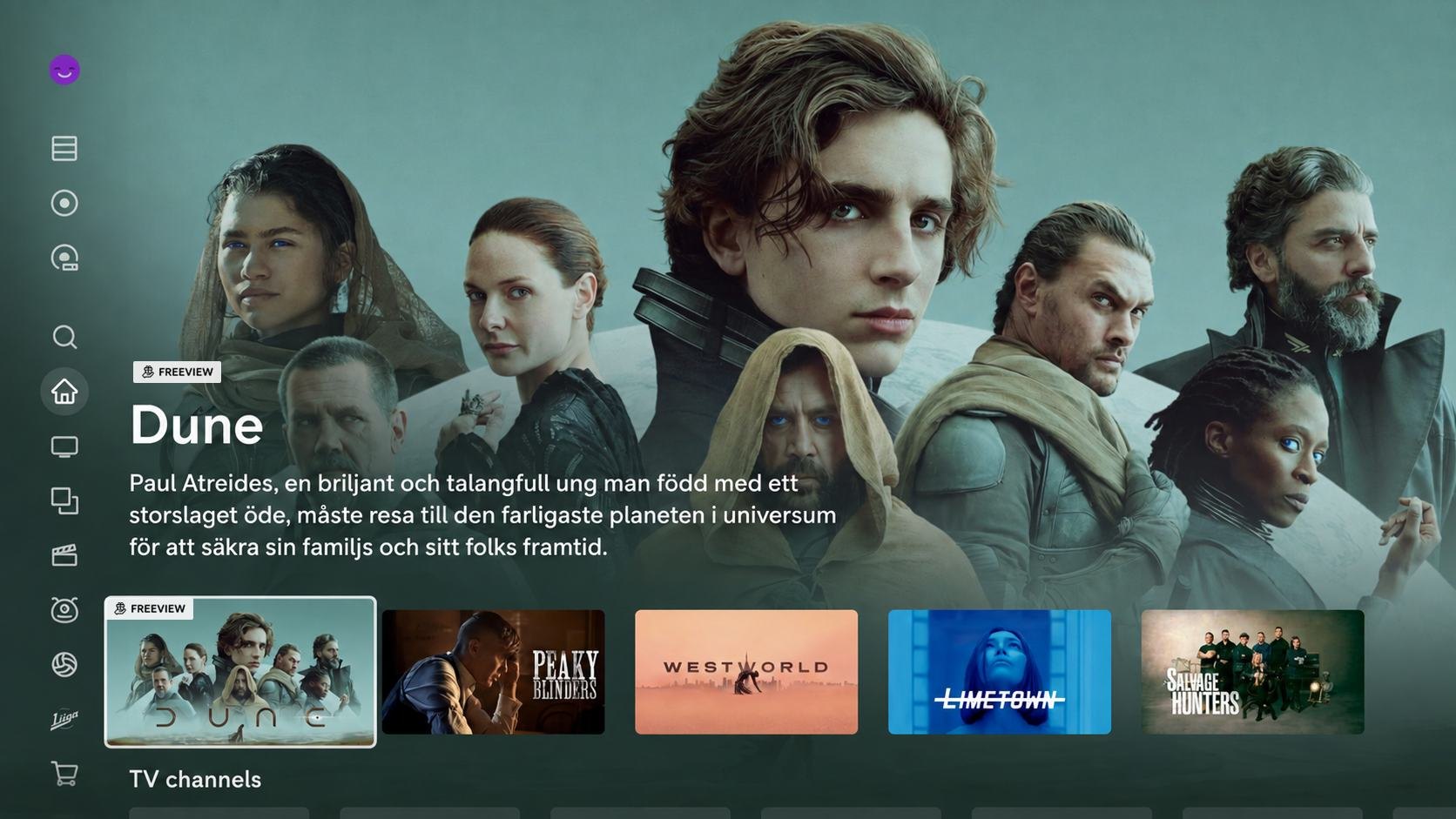
We introduced a simple Free Content indicator directly within the content UI. The indicator provided reassurance exactly where users encountered the content, without adding friction or changing the viewing experience.
Designing for speed
We didn’t reinvent the wheel.
The solution needed to be implemented quickly. Instead of creating a new component, we reused existing assets from Telia Play’s design system and adapted them to communicate temporary free access.
Existing design system component

Adapted for free content using existing styles and iconography

Shipped across web, mobile and TV
Cross-functional collaboration
Solving the problem together
The project started from a combination of user confusion and Customer Support feedback. I worked closely with Customer Support, Tech and other stakeholders to find a solution that could be implemented quickly, fit the existing design system and work across all platforms.

Customer Support
Provided insight into common questions and user concerns

Design
Explored different solutions within the design system

Tech
Validated feasibility and implementation timeline

Shipped experience
Live across web, mobile and TV
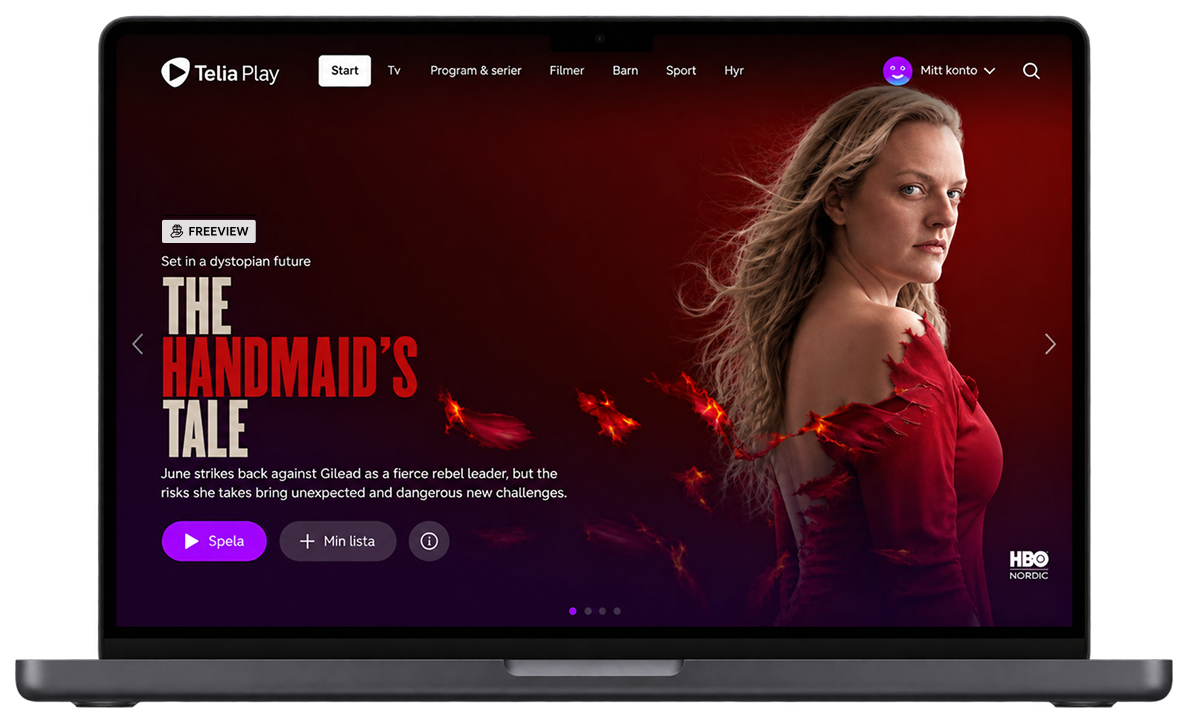
One solution, three platforms
Designed to work wherever people watch.
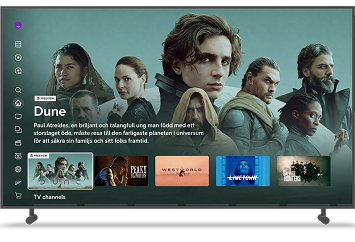
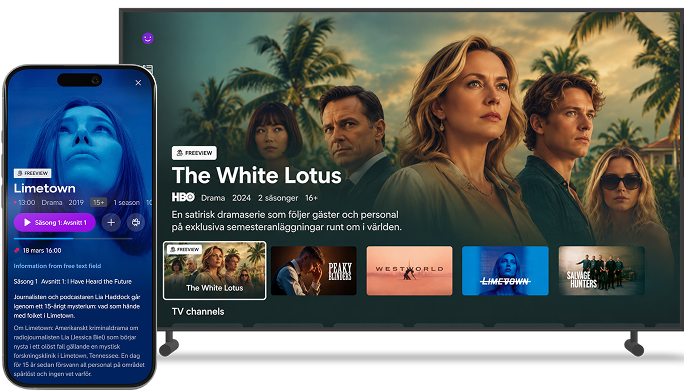
The indicator was implemented consistently across web, mobile and TV, adapted to each platform’s interaction patterns.
The result
Clearer content. Fewer questions.
The new indicator gave users an immediate explanation for why content was available to them, without requiring additional clicks or disrupting the viewing experience.
It also gave Customer Support a clearer product experience to point users towards when questions arose.
Live across web, mobile and TV platforms.
A final thought
Sometimes the best UX
is the smallest intervention.
This project reminded me that product problems don’t always require a new feature or a complete redesign. Sometimes the most valuable change is simply making something users are already seeing easier to understand.